For repair shops
Run your shop.
Not your paperwork.
Take devices in, keep track of what is on the bench, and get them back to customers — from the phone already in your pocket.
Free on the App Store · No subscription, ever · iPhone and iPad
Version 1.3 is what you can download today. Web Enquiries and the one-off Lifetime Pro purchase arrive in version 2.0.
How it works
From enquiry to collected
One record follows the device the whole way. Nothing gets retyped, and nothing lives in a second place you have to remember to check.
Steps one and two are Web Enquiries, which arrives in version 2.0. Steps three to six are in the app on the App Store today.
Enquiry
A customer sends their device and fault from your website.
It arrives
Straight into the app, and your phone tells you.
Becomes a job
One tap turns it into a customer or a repair.
On the bench
Diagnose, order parts, record what you did.
Invoice
Bill from the job — the details are already there.
Collected
Mark it done and it leaves the bench.
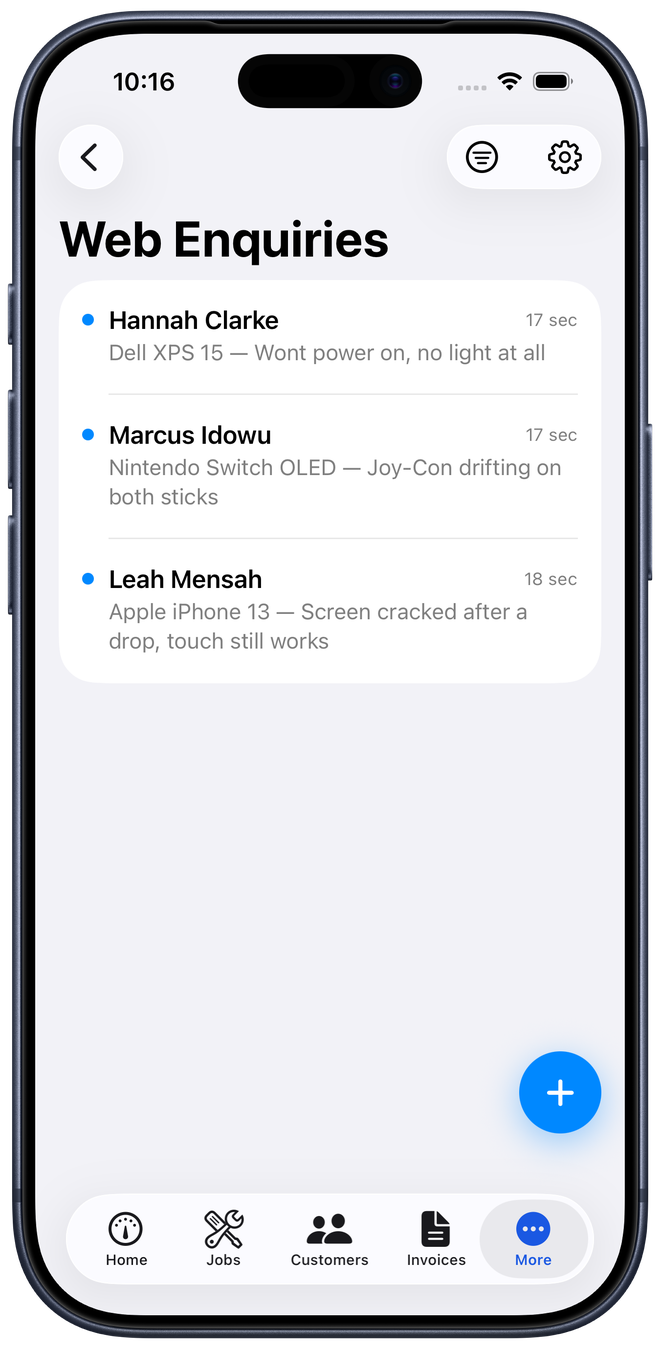
Web Enquiries In version 2.0
Turn website visitors into repair jobs
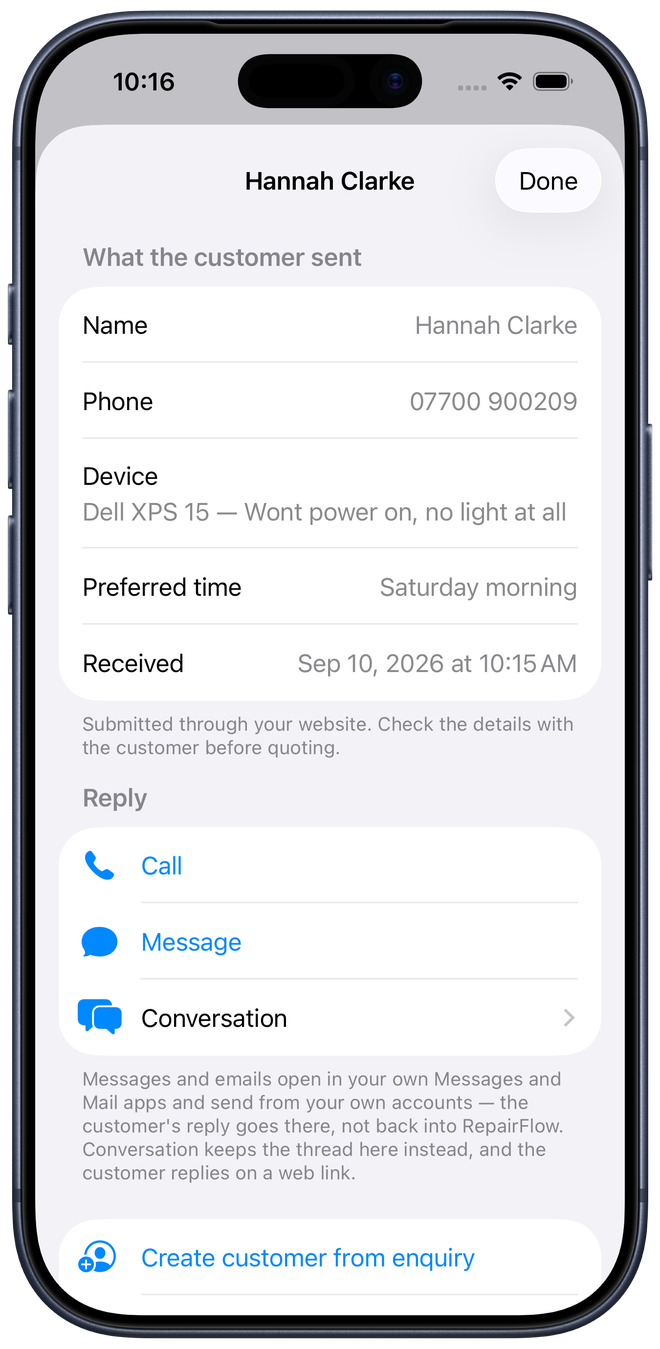
A customer fills in a form on your site. It lands in RepairFlow, your phone buzzes, and their device and fault are already written down.
- Add it to your site as a link, or embed the form in a page
- Reply by phone, by message, or in a conversation they can answer
- Convert to a customer, an appointment or a repair in one tap
- Spam handled for you, and the form carries its own privacy notice
- Set it up from the app — no developer, no dashboard to configure
Try the enquiry form
This one is running live on our own site, put there the way a shop puts it on theirs. Fill it in and the enquiry arrives exactly as a customer's would.
Nothing was configured for it. The shop presses Set Up in RepairFlow, copies what the app gives it, and pastes that into whatever runs its website.
Demo enquiries go to RepairFlow, not to a repair shop. Please do not send a real repair request here.
iPhone and iPad
The counter and the bench
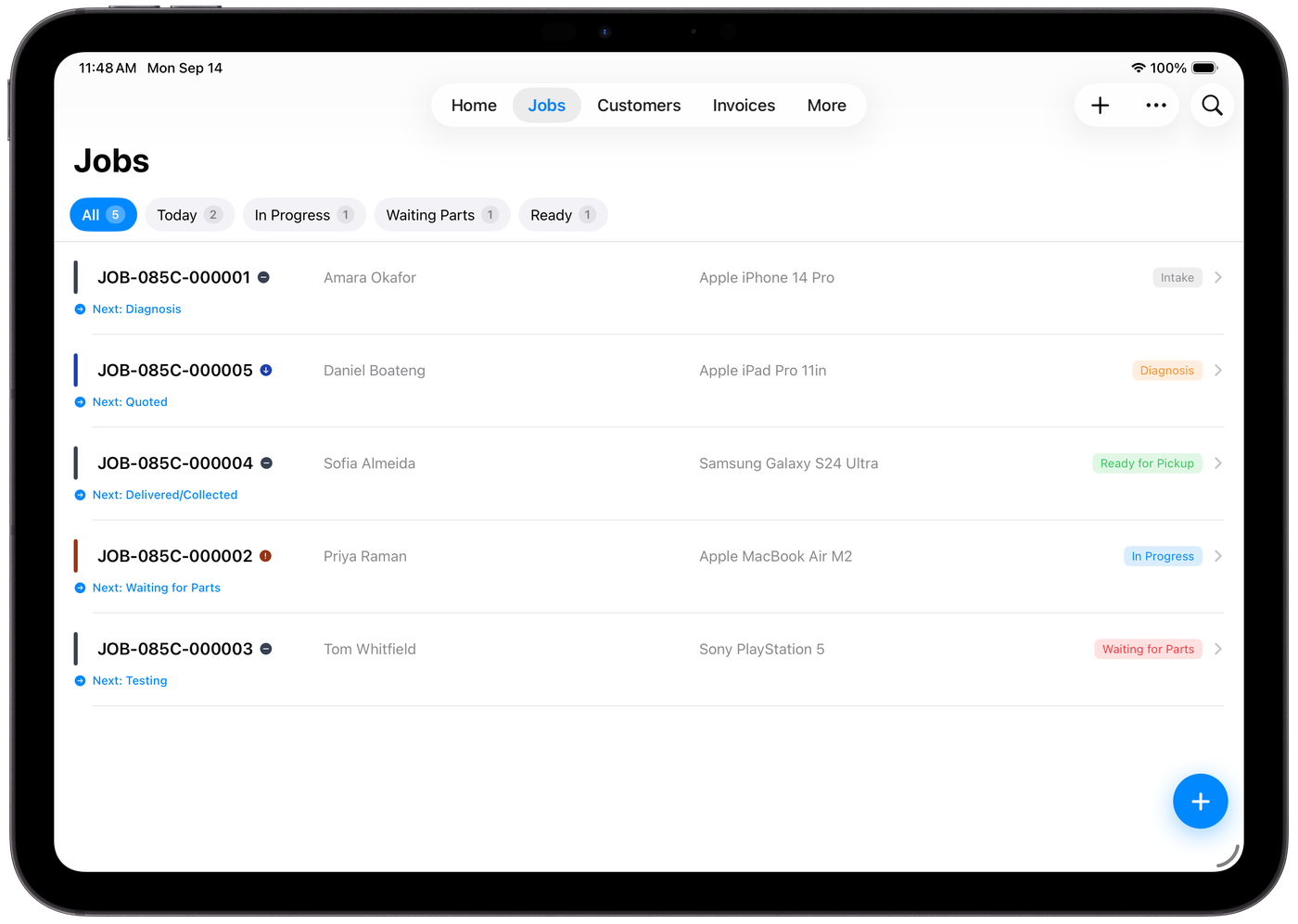
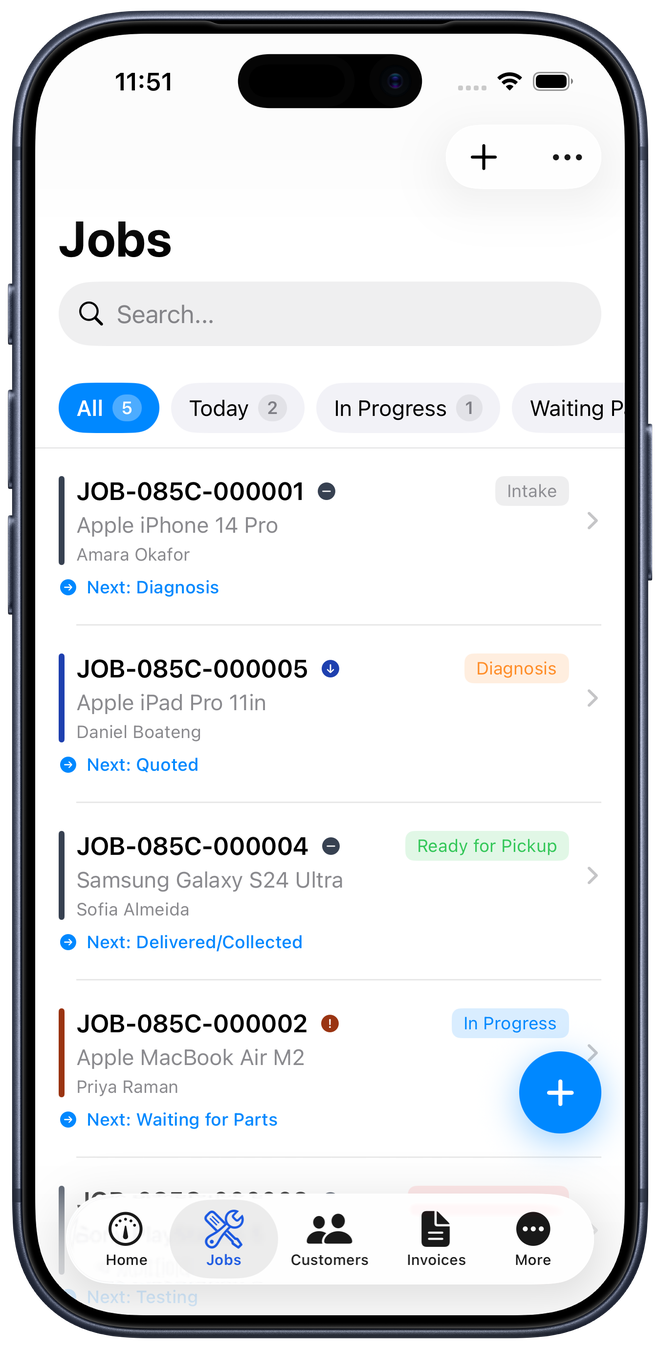
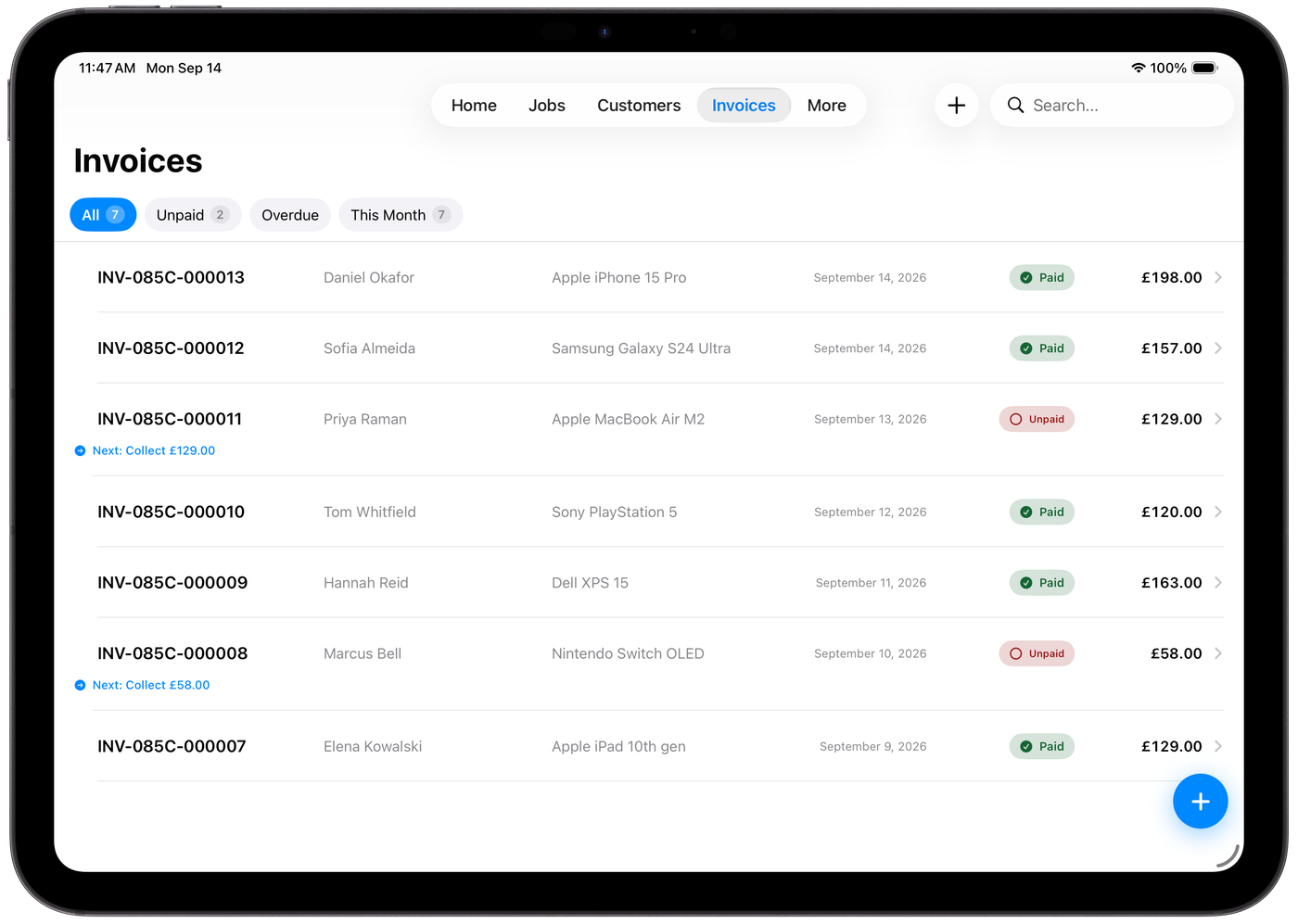
The same app, laid out for the screen it is on. On iPad the whole list is there at once, which suits the counter. On iPhone it is in your pocket while you are working.
- One purchase covers both — it is not sold twice
- iPad puts more of the list on screen at once
- iPhone keeps the bench with you while your hands are busy
The app
What it looks like on the bench
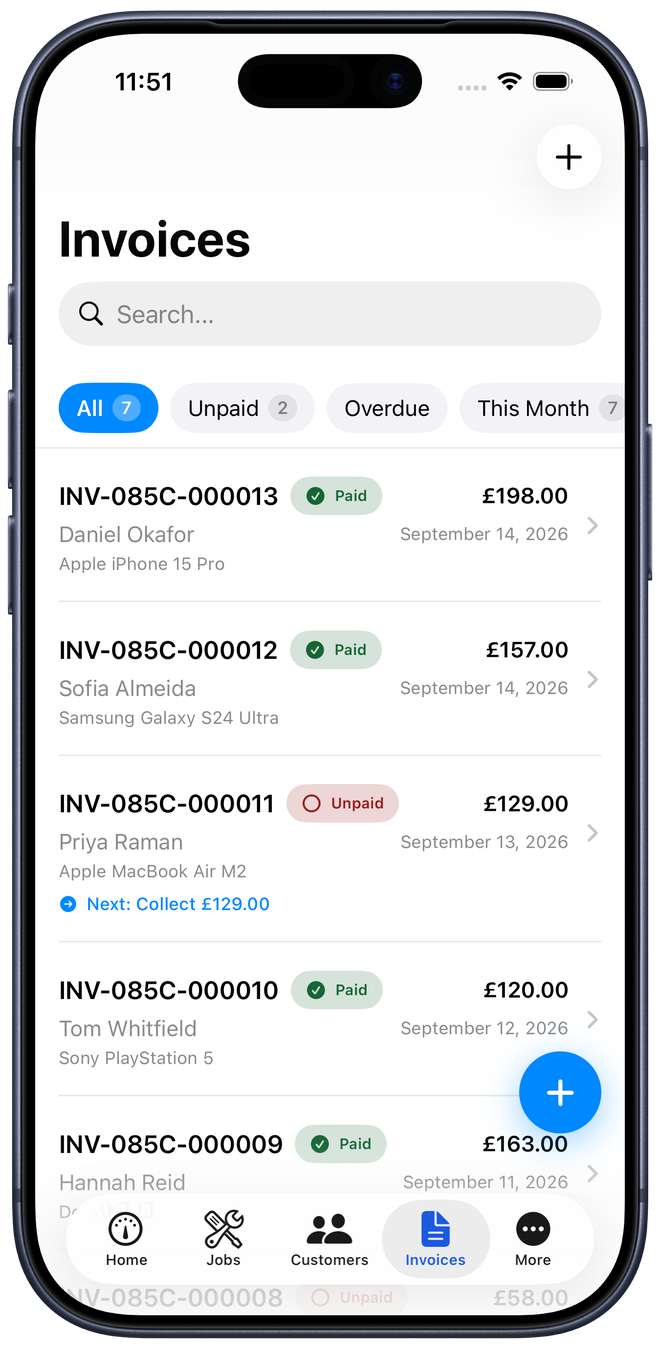
Real screens from the app, not mock-ups.
Features
Everything the counter needs
Repair management
Every repair from intake through diagnosis to collection.
Web Enquiries 2.0
Repair requests from your website, straight into the app.
Invoices & payments
Invoice from the job and record how you were paid.
Customers
Contact details and repair history kept together.
Parts & inventory
Stock tied to the work it belongs to.
Works offline
Records live on the device, not behind a login screen.
Also included: appointments, printed intake tickets, and backups you can export in full.
Getting started
Start without rebuilding your business
Install RepairFlow
Free on the App Store for iPhone and iPad.
Add your shop details
Your name, contact and how you take payment.
Book the first device in
And carry on with the day.
One purchase. Not a monthly bill. Pricing from 2.0
Version 1.3 is free on the App Store today. From version 2.0, RepairFlow stays free to download and free to try, and beyond the trial it is a single purchase for Lifetime Pro — not a subscription that grows every year you keep using it.
Questions
Straight answers
Is RepairFlow a subscription?
No. Version 1.3 is free on the App Store. From version 2.0 it stays free to download and free to try, with a one-off purchase for Lifetime Pro after that. There is no recurring charge in either version.
What happens if I do not buy Pro?
This applies from version 2.0 onwards. You keep access to everything already in the app and can export it. What stops is creating new work.
Can customers send repair requests from my website?
Yes — that is Web Enquiries, and it arrives in version 2.0. RepairFlow gives you a ready-made form to add as a link or embed in a page.
Do I need a website to use it?
No. The form is a complete page of its own, so the link works anywhere: a social profile, a message, or a QR code in the shop window.
Do I need a developer?
No. Tap Set Up and copy the link. If someone else looks after your site, RepairFlow writes the instructions for you to send them.
Can I use it for computer and console repairs?
Yes. Phones, tablets, laptops, Macs, PCs, consoles and other electronics.
Can I get my data out?
Yes, at any time from Settings. Backups are yours to keep.
Does it work on iPhone and iPad?
Both.